AI Transcription Services for Law Firms: 2026 Guide
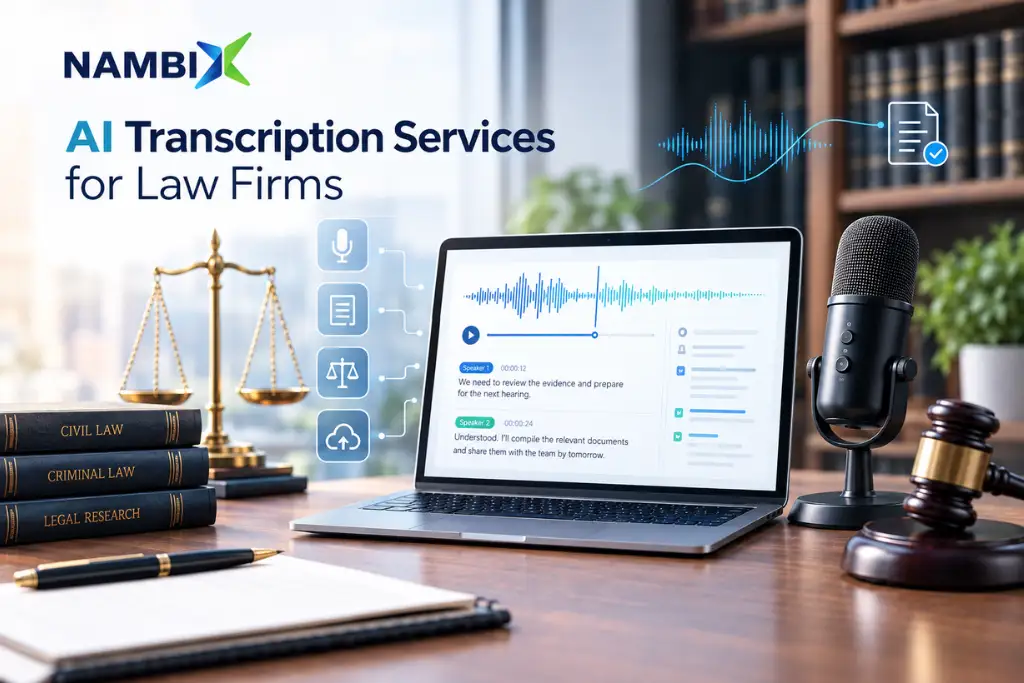
AI Transcription Services for Law Firms: 2026 Guide AI transcription services for law firms convert depositions, hearings, client interviews, and other legal proceedings into text by pairing automatic speech recognition with human transcriptionists who check every line for legal terminology, speaker identification, and formatting. For law firms and legal departments, the gap between a usable transcript and a liability usually comes down to accuracy: legal transcription typically requires 99% accuracy, because a single misheard word in a deposition can change how a motion is decided. This blog walks through how legal transcription services work in 2026, what separates the best legal transcription companies from generalist providers, and why the hybrid AI-plus-human model has become the standard for law firms and legal departments that need accurate, court-ready transcripts on tight deadlines — the same model Nambix Technologies applies across its legal transcription services. What Are Legal Transcription Services? Legal transcription services convert audio files and video files from legal proceedings into written legal transcripts. Unlike general business transcription, legal transcription deals with complex legal language, courtroom procedure, and legal jargon that a general transcriptionist may not recognize — case citations, Latin phrases, statute references, and the specific cadence of sworn testimony. Because of this, legal transcription companies employ legal transcriptionists who are specifically trained in legal terminology and courtroom conventions, not general audio typists. Law firms use legal transcription across a wide range of legal proceedings: depositions, court hearings, arbitration and mediation sessions, witness interviews, recorded phone calls, and internal case-strategy meetings. Legal departments inside corporations rely on the same services for internal investigations, compliance interviews, and regulatory proceedings. See how the workflow is structured on Nambix’s AI transcription services page, and how it connects to Nambix’s broader work across the legal industry. Why Law Firms and Legal Departments Are Turning to AI Transcription in 2026 Demand for legal transcription services is climbing alongside the broader digitization of the legal industry. Independent market research puts the US legal transcription market at roughly $610–655 million across 2024–2025, projected to reach $1.27 billion by 2035 at a compound annual growth rate near 6.9%. Global estimates for the broader legal transcription services market range higher still — from about $3.8 billion in 2025 growing to $6.2 billion by 2033, to other research that puts the 2024 baseline closer to $5.2 billion en route to $9.4 billion by 2033. However the figures are sliced, the direction is consistent: more recorded legal proceedings, more remote depositions and hearings, and more legal departments outsourcing transcription rather than building in-house teams. Three forces are driving this growth. First, court proceedings and depositions are increasingly recorded on video rather than captured only by a live court reporter, creating far more audio files and video files that need to become searchable legal documents. Second, legal compliance obligations — data retention rules, e-discovery requirements, and appeals processes — mean law firms need accurate, retrievable written records of legal proceedings. Third, rising litigation volume and case complexity mean legal teams need to transcribe audio into text faster than they could ever type notes by hand during case preparation. Legal Transcription Market at a Glance (2025–2026) Metric Figure US legal transcription market (2025) ≈$652.76 million, projected to reach $1.27 billion by 2035 (6.9% CAGR) Global legal transcription services market (2025) ≈$3.8–5.2 billion, projected to reach $6.2–9.4 billion by 2033 North America share of global legal transcription revenue ≈42% — the largest regional market Accuracy standard for certified, court-ready transcripts 99% or higher (99.5% on some UK court reporting contracts) Typical standard deposition transcript delivery 2–14 business days, depending on provider and page volume Typical expedited or rush delivery A few hours to 5 business days, at a premium per page How AI Transcription for Law Firms Works: From Audio File to Final Transcript A modern legal transcription workflow moves through a consistent set of stages, regardless of which of the best legal transcription companies a firm chooses to work with: This is the workflow Nambix Technologies applies through its legal transcription services, and it’s the same underlying process behind Nambix’s AI meeting transcription work for legal departments that also need transcripts of internal meetings and interviews. AI Speed, Human Precision: Why MTPE Is the Legal Transcription Standard Machine Translation and Transcription Post-Editing (MTPE) is the reason AI-assisted legal transcription works for court-ready use cases. AI speech engines are fast, and can convert hours of legal audio into text in minutes — which is exactly why they are the right tool for producing a first draft. But industry benchmarking of automatic speech recognition in real-world legal environments — noisy courtrooms, overlapping counsel, thick accents, and recorded phone calls — consistently shows that raw automated output alone falls short of the accuracy legal proceedings demand. That isn’t a flaw specific to any one AI model; it simply reflects how demanding legal audio is, which is exactly why legal transcription requires 99% accuracy for compliance and why a human accuracy checkpoint sits between the AI draft and the final transcript. Human transcriptionists close that gap. They catch complex legal language an AI model wasn’t trained on, correctly label multiple speakers talking over each other, and preserve verbatim accuracy — capturing not just every word but every non-verbal sound, false start, and pause that a court reporter or judge may need to see in the record. Pairing AI’s speed with a trained transcriptionist’s review is what lets legal transcription services deliver both fast turnaround times and accurate transcripts, rather than forcing law firms to choose one over the other. Nambix Technologies applies the same MTPE model across its language services — see the MTPE guide and the MTPE vs. full human translation comparison for more on how the model works. Legal Transcription vs. Court Reporting: What’s the Difference? Law firms sometimes use “court reporting” and “legal transcription” interchangeably, but they describe two different roles in creating the record of a legal proceeding. Court reporters create a live record during the proceeding itself, typically through stenography or