
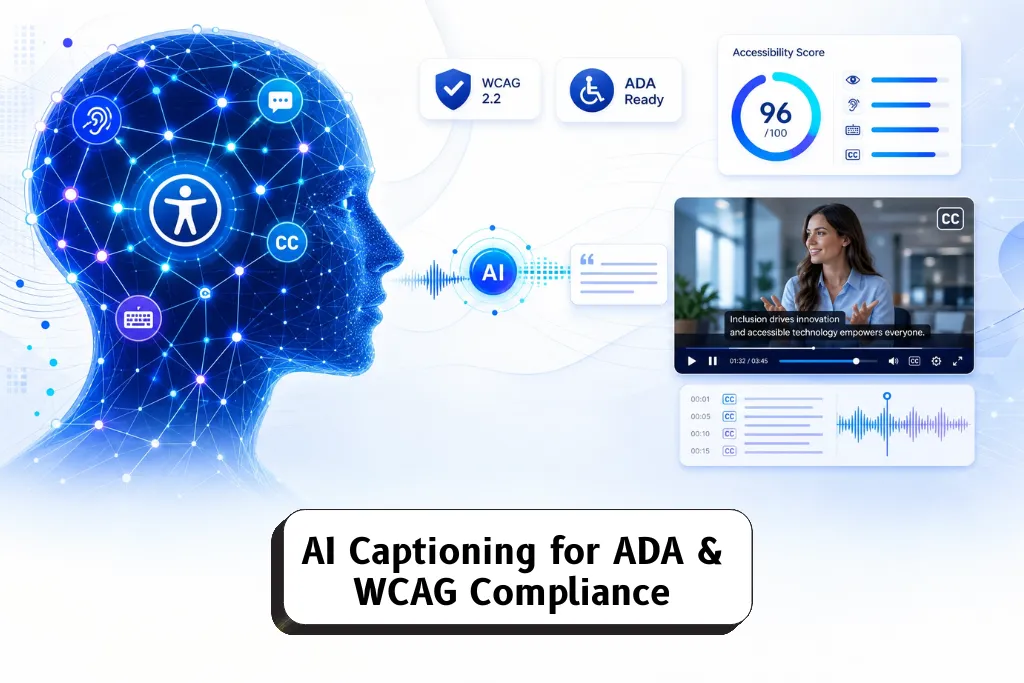
AI captioning is the process of using speech-recognition software to automatically generate, sync, and style text for video and audio content, and in 2026 it’s the fastest, most cost-effective way for businesses to meet ADA and WCAG 2.1 accessibility standards. Modern AI-generated captions achieve over 95% accuracy on clear audio, support more than 40 languages, and can be produced in minutes rather than the hours a manual transcript would take. This blog walks through how AI captioning works, what ADA and WCAG actually require, and how to choose a caption generator and editing experience that keeps your video content compliant, engaging, and discoverable across every social platform.
Why AI Captioning Matters for ADA & WCAG Compliance
The ADA mandates captions for prerecorded video content wherever a business communicates with the public, and WCAG 2.1 Level AA standards go further, requiring synchronized captions for both live and pre recorded media. Captions aren’t just a legal checkbox — they provide equivalent access for deaf and hard-of-hearing viewers and give hearing viewers a way to follow audio content in sound-off environments. With 85% of TikTok viewers watching videos with sound off, and similar habits carrying over to Instagram Reels, YouTube Shorts, and LinkedIn feeds, captions have become essential for engagement as much as compliance.
AI captioning closes the gap between these two goals. Instead of choosing between speed and accuracy, teams can generate a first-pass transcript instantly, then refine it for the punctuation, speaker IDs, and terminology that formal compliance requires.
How Auto Captions Are Generated
Auto captions start with automatic speech recognition, which converts spoken language into text. From there, a caption generator handles:
Time-syncing — matching each line of text to the exact moment it’s spoken so captions stay in step with the audio track
Punctuation — auto captions punctuate correctly using natural pauses and sentence structure detected in speech patterns
Speaker IDs — modern captioning systems can recognize multiple speakers and label each one, which matters for interviews, panels, and podcasts
Sound effects and audio information — captions should include non-speech sounds like [laughter], [applause], or [background noise] so viewers without audio still get the full audio information
For most videos, this entire process — from upload videos to a finished, downloadable caption file — takes just 2 to 10 minutes, a fraction of the time manual transcription requires.
Building Accurate Captions That Meet Guidelines
Accuracy is the foundation of any compliance strategy. AI-generated captions reach roughly 95% accuracy on clear audio, but reaching full ADA and WCAG compliance still means reviewing that output — especially for technical terms, brand names, and industry jargon a generic model may not recognize. Good captioning guidelines also call for:
Avoiding filler words (“um,” “uh,” “like”) for cleaner reading
Using proper line breaks so no single caption line runs too long or wraps awkwardly
Keeping punctuation consistent so meaning isn’t lost mid-sentence
Labeling multiple speakers clearly, especially in longer or multi-person recordings
Editing auto-generated captions before publishing isn’t optional if the goal is genuine accessibility — automated output gives you the speed, and a review pass gives you the precision that compliance and viewer trust both depend on.
Closed Captions vs. Open Captions
Closed captions can be toggled on or off by the viewer and are the standard choice for platforms like YouTube, where users control their own viewing preferences. Open captions, sometimes called burned-in captions, are permanently visible on the screen and ensure visibility without requiring any action from the viewer — a useful option for Instagram Reels, YouTube Shorts, and other short-form video types where sound-off viewing is the default.
Choosing between the two often comes down to platform and audience: long videos with varied viewing conditions tend to favor closed captions and downloadable subtitles, while short, scroll-friendly content usually performs better with open, always-on text.
Choosing a Caption Style That Keeps Viewers Engaged
Caption style has become a genuine creative decision, not just a formatting one. Four styles dominate social and video content in 2026:
Minimal — clean, simple text with subtle animations, ideal for professional or corporate video content
Word-by-word — captions pop on screen one word at a time, suited to high-energy, fast-paced content
Karaoke-style — highlights each word as it’s spoken, keeping viewers engaged through rhythm and timing
Hormozi-style — bold, high-contrast text with dynamic animations, popular for punchy, attention-grabbing short-form content
Animated captions consistently drive stronger watch time and retention than static text, and most caption generators now let you customize font style, color, and animation to match brand identity. For accessibility purposes, WCAG guidance recommends a sans serif font at a minimum size of 18 points to keep text legible across screen sizes.
Editing Experience: Fine-Tuning What AI Generates
A strong editing experience is what turns a fast first draft into a fully compliant, publish-ready file. Look for tools that let you:
Adjust timing on individual caption lines with a click
Fix misheard words or technical terms directly in the transcript
Reformat line breaks for readability
Preview captions against the video in real time before you download or post
This is where AI captioning tools add the most practical value — combining automated generation with an editing experience that makes fine-tuning fast rather than tedious, so teams can move from upload to publish without sacrificing accuracy.
Multiple Languages, One Video: Expanding Reach and Compliance
Beyond English, AI captioning can instantly translate content into multiple languages, with many tools supporting captions in over 40 languages, including Spanish, French, Mandarin, and beyond. This isn’t just a translation convenience — for global or multilingual audiences, WCAG expects equivalent access across languages, not just the primary spoken language of the video. Translated captions also let a single video reach new markets on the same upload, multiplying the value of the original video content without reshooting anything.
AI Captions and Video SEO
Captions do more than satisfy compliance requirements — they also boost video SEO and discoverability. Search engines can’t watch a video, but they can read a transcript, which means accurate captions help platforms index visual information, spoken word content, and on-screen text for search. AI can also analyze content to generate relevant hashtags and keywords from the transcript itself, giving creators and marketers an easy way to improve reach across multiple platforms with content they’ve already produced.
Getting AI Captioning Right in 2026
Meeting ADA and WCAG standards no longer requires a slow, manual transcription process. AI captioning gives businesses accurate, time-synced, properly punctuated captions in minutes, in the caption style that fits their brand, and in the languages their audience actually speaks — all while giving teams full control through the editing experience to fine-tune before anything goes live.
At Nambix Technologies, our AI captioning platform generates closed captions, open captions, and translated subtitles across 40+ languages, with an editing experience built for teams that need both speed and accuracy. Whether you’re captioning long videos for a compliance-driven industry or short-form content for social platforms, Nambix helps you add captions that meet ADA and WCAG standards while keeping viewers engaged from the very first frame.
Frequently Asked Questions (FAQs)
1. How accurate are AI-generated captions?
AI-generated captions typically achieve over 95% accuracy on clear audio with minimal background noise. Accuracy can dip with heavy accents, overlapping speakers, or industry-specific terminology, which is why a quick review pass is standard practice before publishing. Nambix’s AI captioning platform is built to handle these edge cases well, and its editing experience makes it fast to fix any missed technical terms or names before you download or post.
2. Are captions legally required under ADA and WCAG?
Yes. The ADA mandates captions for prerecorded video content in most public-facing business communications, and WCAG 2.1 Level AA specifically requires synchronized captions for both live and prerecorded media. Nambix’s captioning service is designed around these exact guidelines, generating time-synced, properly punctuated captions that align with WCAG 2.1 AA requirements out of the box.
3. How many languages can AI captioning support?
Most modern AI captioning tools support 40 or more languages, including Spanish, French, German, and Mandarin, and can instantly translate a single video’s captions into any of them. Nambix offers captioning and translation across 40+ languages from one upload, so a single video can be published for multiple regions without any additional filming or manual translation work.
4. What’s the difference between closed captions and open captions?
Closed captions can be turned on or off by the viewer, while open (burned-in) captions are permanently visible on screen. Open captions work well for sound-off platforms like Reels and Shorts, while closed captions suit platforms like YouTube where viewer preference varies. Nambix generates both formats from the same caption file, so you can publish closed captions on YouTube and burned-in captions on Instagram Reels without recreating the work twice.
5. How long does it take to caption a video with AI?
Auto-captioning typically takes 2 to 10 minutes depending on video length and audio quality, compared to hours for manual transcription. Nambix’s caption generator delivers a first draft in minutes, and its editing experience lets teams fine-tune timing, punctuation, and speaker labels before publishing — all in one workflow.
6. Do I need to edit AI-generated captions before publishing?
Editing is strongly recommended, even with high accuracy rates. A quick pass catches filler words, misheard technical terms, and line breaks that affect readability, especially for compliance-sensitive content. Nambix’s editing experience is built for exactly this step, letting users adjust timing, correct wording, and reformat lines quickly so captions are publish-ready and fully compliant.
7. Can AI captions help with video SEO, not just accessibility?
Yes. Captions give search engines readable text to index, which can improve discoverability, and AI can also generate relevant hashtags and keywords directly from a video’s transcript. Nambix’s captioning platform outputs clean, accurate transcripts that double as SEO assets, helping video content perform better across search and social platforms.
