
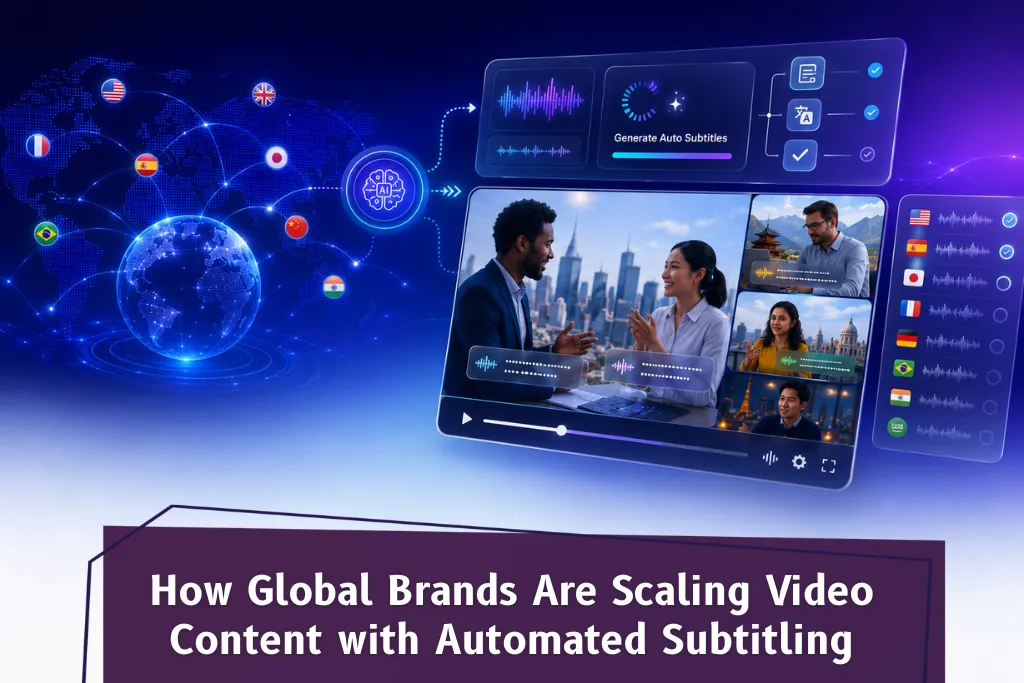
In 2026, global brands are scaling video content faster than ever by using automated subtitling to make every video file accessible, multilingual, and compliant — without the time and cost of manual workflows. Automatic captions generated by AI-powered tools now allow enterprises to upload your video, auto generate subtitles in 100+ languages, and publish to a global audience in a fraction of the time it once took. Whether the goal is to meet ADA and WCAG compliance, expand into new markets, or simply keep viewers engaged longer, automated subtitling has moved from a nice-to-have to a core part of every serious video content strategy.
Why Brands Can No Longer Ignore Auto Subtitles for Video Content
Over 80% of people who use captions on video aren’t hearing impaired — they’re watching in silent mode on phones, in offices, or in environments where audio isn’t an option. Meanwhile, search engines cannot watch videos but can index every word in a subtitle file, making accurate subtitles a direct contributor to discoverability and watch time.
For global enterprises producing hundreds of hours of video content — product demos, training modules, social media clips, and broadcast programming — the manual subtitling model simply cannot scale. A single 30-minute video file can take a professional subtitler three to five hours. Multiply that across dozens of languages and thousands of videos, and the bottleneck becomes obvious.
Auto captions powered by speech recognition technology change this equation. Brands can now automatically transcribe spoken content from an audio file or video upload, generate subtitles that are perfectly synced, and reach a wider audience — all in a few minutes rather than days.
How Automated Subtitling Works: From Upload Your Video to Publish
The process of using an auto subtitle generator has become remarkably streamlined. Here is how it typically works for enterprise teams:
1. Upload your video or audio file. Most platforms accept all major formats. Whether it is a polished brand video, a raw product demo, or an Instagram video clip, the process begins with a simple video upload.
2. Auto generate subtitles using speech recognition. AI-powered speech recognition software analyzes the spoken content, identifies multiple speakers where applicable, and generates a timed subtitle file — usually an SRT file or VTT format — within a few minutes.
3. Review and edit subtitles. Teams can use an online subtitle editor to fine-tune timing, adjust fonts, correct any edge cases, and ensure the transcript reflects the brand’s tone. A good subtitle editor lets you adjust timing at the word level and edit subtitles down to key moments.
4. Customize and brand. Enterprise teams can apply a brand kit to maintain consistent subtitle font, color, and styling across all visual content — essential for keeping viewers engaged and maintaining brand integrity across social video and OTT platforms.
5. Export and distribute. Download the finished subtitle file in SRT, VTT, TTML, or burn hardcoded subtitles directly into the video file. Export to social media, YouTube, streaming platforms, or internal LMS systems.
The result: accurate captions, perfectly synced, delivered at a fraction of the manual cost — and content accessible to a global audience across multiple languages.
Add Subtitles Across Languages: The Global Brand Advantage
One of the most powerful shifts in 2026 is the ability to not just add captions in English but to generate subtitles in dozens of languages simultaneously. 75% percent of consumers are more likely to engage with video content in their native language. For brands targeting international markets, this is not just an engagement metric — it is a revenue driver.
Automated multilingual subtitling means that a brand can produce one video and make it content accessible to audiences in Spanish, French, Mandarin, Arabic, and beyond — without commissioning separate translation and subtitling vendors for each market. The subtitle files for each language are generated from the same source audio content, reviewed through an online subtitle editor, and exported individually.
This capability is especially valuable for e-commerce brands subtitling product demos for regional storefronts, media companies managing large OTT video libraries, corporate L&D teams making training video accessible to global workforces, and healthcare or legal sectors requiring compliant, accurate captions on regulated audio content.
Add Captions for Compliance: ADA, WCAG, and the US Regulatory Landscape
In the United States, the regulatory landscape around accessible videos has tightened significantly. The DOJ’s April 2024 final rule established WCAG 2.1 Level AA as the ADA Title II standard, with deadlines now actively enforced. Over 4,000 digital accessibility lawsuits were filed in 2024, and that number continues to rise.
For US brands, the ability to add captions to every piece of video content is no longer optional. Closed captions that include sound effects, speaker identification, and audio descriptions are required across public-sector digital properties — and strongly advised for any enterprise with a significant US audience. Automated tools that generate accurate captions at scale are the most practical path to compliance, particularly for organizations with large existing video libraries.
Subtitle Generator Free vs. Enterprise-Grade Platforms: What Brands Need to Know
Many teams start with a subtitle generator free tier — useful for short clips or testing. But enterprise-scale video content demands more than a free plan can offer. Enterprise platforms provide batch processing of hundreds of video files, API integration into existing video editing workflows, team permissions, and compliance-grade accuracy up to 99.5%. The editing experience is far more powerful too, with animated effects, fine-tune timing controls, and multi-language export in a single workflow — all critical for keeping viewers engaged at scale.
Scale Your Video Content with Nambix Technologies
The brands winning in global video in 2026 are not just producing more content — they are making it accessible, compliant, and multilingual faster than the competition. Automated subtitling is the engine powering that shift.
Nambix Technologies offers a full suite of AI-powered language services including AI Subtitling, AI Captioning, AI Transcription, AI Translation, and MTPE — alongside vSubtitle, their enterprise subtitle generator platform built for scale.
Explore vSubtitle by Nambix → Talk to the Nambix team →
Frequently Asked Questions (FAQs)
1. How do automatic captions work, and how accurate are they?
Automatic captions use speech recognition technology to analyze the audio track of a video file and convert spoken words into synchronized text. Modern AI-powered tools achieve up to 95–99% accuracy on clear audio, handling multiple speakers, technical vocabulary, and accents far better than earlier generations of the technology. Results are typically delivered in a few minutes, and teams can edit subtitles in an online subtitle editor to fine-tune any edge cases before publishing.
Nambix Technologies’ vSubtitle platform delivers up to 99.5% accuracy across 100+ languages, making it one of the most reliable auto subtitle generators available for enterprise video content workflows today.
2. What is the difference between closed captions and subtitles — and which does my brand need?
Closed captions include not just dialogue but also sound effects, music cues, and speaker identification — designed primarily for accessibility for deaf and hard-of-hearing viewers. Subtitles typically cover spoken dialogue only and are used primarily for language translation. Most global brands need both: closed captions for US compliance (ADA/WCAG) and multilingual subtitles to make video content accessible to international audiences.
Nambix Technologies offers both AI Captioning and AI Subtitling as dedicated services, as well as vSubtitle for teams that need to manage both workflows in a single platform — with export options including SRT file, VTT, and hardcoded subtitles.
3. Can I generate subtitles in multiple languages from a single video file?
Yes. Auto subtitle generators use speech recognition to transcribe the source audio and then apply AI translation to generate subtitle files in multiple languages from a single upload — eliminating separate vendors per language and dramatically reducing turnaround time.
Nambix’s vSubtitle supports 100+ languages, allowing teams to upload your video once and export accurate subtitles across all target markets — ideal for enterprises scaling video content globally.
4. How do I add subtitles to social media videos, including Instagram video?
For social video, the most common approach is burning hardcoded subtitles directly into the video file so captions display automatically. Upload your video to an auto subtitle generator, get the subtitles generated, adjust fonts and timing in the subtitle editor, and export the finished video — all in a few clicks.
Nambix’s vSubtitle supports export for Instagram video and other social formats, with brand kit options to keep subtitle font, color, and animated effects consistent across all visual content.
5. Is automated subtitling accurate enough for regulated industries like healthcare and legal?
For highly regulated sectors, accuracy requirements are non-negotiable. AI-powered tools have advanced significantly, but the best practice remains using a platform that combines AI-generated auto subtitles with a human review step — often called MTPE (Machine Translation Post-Editing). This hybrid approach delivers both the speed of automation and the precision that compliance-sensitive content demands.
Nambix Technologies serves healthcare, legal, BFSI, and education sectors specifically because of this reason, offering both automated subtitling via vSubtitle and MTPE services for content where accuracy and compliance cannot be compromised.
6. What file formats are supported, and can I download the SRT file separately?
Most enterprise subtitle generators support a wide range of input formats (MP4, MOV, AVI, and most major video and audio file types) and output formats including SRT file, VTT, TTML, and burned-in hardcoded subtitles. You can typically download the subtitle file separately to upload to YouTube, OTT platforms, or your video editing software.
vSubtitle by Nambix supports all major input video file formats and exports to SRT, VTT, TTML, and more — making it compatible with YouTube, broadcast systems, OTT platforms, and professional video editing environments.
7. How does automated subtitling improve watch time and video SEO?
Adding accurate captions to video content improves watch time because viewers who might otherwise drop off — due to noise, language barriers, or hearing differences — can now follow along. Longer watch time is a direct algorithmic signal on platforms like YouTube. Additionally, search engines index the text in subtitle files, meaning every word of your spoken content becomes crawlable — turning your video archive into a rich source of SEO value.
Nambix Technologies’ vSubtitle helps brands capture both of these benefits at scale: keeping viewers engaged with accurate, perfectly synced captions and making every piece of video content discoverable to more viewers across search engines and social platforms.
