
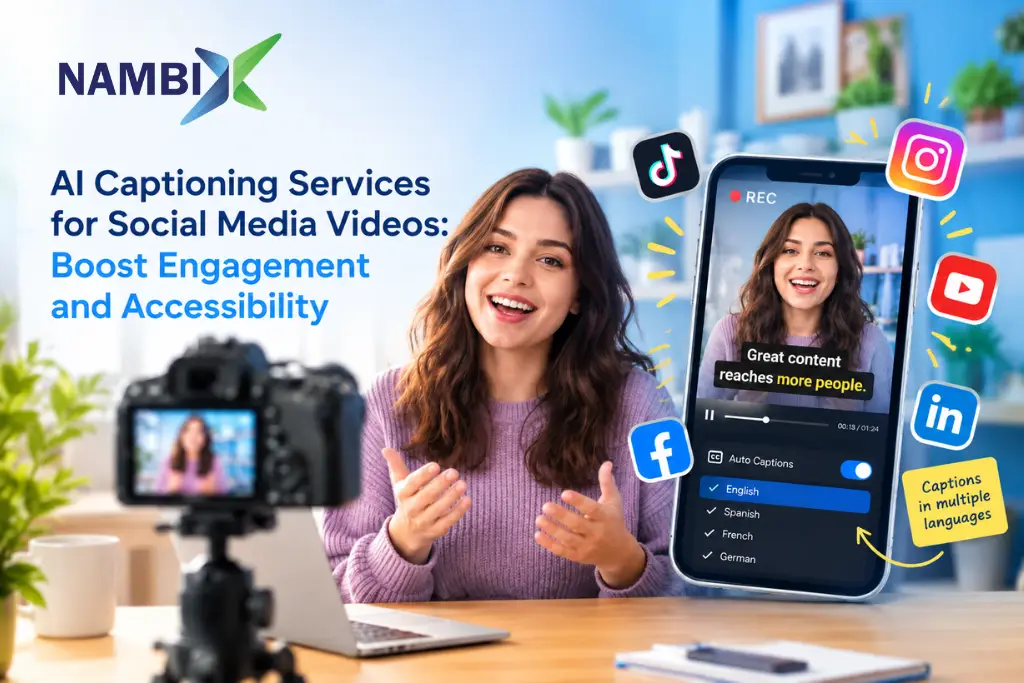
AI Captioning Services for Social Media Videos: Boost Engagement and Accessibility
AI captioning services for social media videos use automatic speech recognition and natural language processing to turn spoken audio into accurate, synced captions in roughly 30 seconds to a few minutes, so creators and brands can publish accessible, scroll-stopping content without manual transcription. Captions matter most where viewers actually watch: the majority of social video is consumed with the sound off, so a video without captions loses most of its message before the hook even lands. Nambix Technologies builds AI-powered captioning for exactly this use case, across Instagram Reels, YouTube, TikTok, and every other platform a brand posts to.
Why Social Media Videos Need Captions, Not Just Sound
Video captions are no longer optional polish; social video is consumed on mute far more often than creators assume. An estimated 85% of TikTok viewers and 85% of Facebook users watch video content with sound off, and a widely cited Verizon Media study found that 69% of people watch video in public places without audio at all, whether at work, on transit, or in a waiting room. For a social media video, that means captions are not a nice-to-have accessibility add-on; they carry the message for most of the audience, most of the time.
The engagement data backs this up directly. Facebook has reported that captions increase average watch time by 12%, and a Discovery Digital Networks case study found captioned YouTube videos drew 40% more views than uncaptioned ones. Captions also improve comprehension and retention even for viewers with sound on, because on-screen text reinforces spoken word and helps audiences follow dialogue over background noise or a noisy feed autoplay environment.
Accessibility is the other half of the case. More than 1.5 billion people live with some degree of hearing loss worldwide, according to the World Health Organization, and captions are how that audience accesses video at all. In the United States, WCAG 2.1 Success Criterion 1.2.2 requires captions on prerecorded video at Level A, the baseline conformance level, and many organizations target Level AA compliance more broadly, which makes captioning a legal and reputational issue as well as a creative one.
Closed Captions vs. Open Captions: What’s the Difference?
Captions for social media videos come in two forms, and the right choice depends on the platform and the content.
| Factor | Closed Captions | Open Captions |
| Visibility | Can be toggled on or off by the viewer | Always visible and cannot be turned off |
| Format | Typically delivered as a separate captions file, most often .srt | Burned directly into the video file itself |
| Customization | More customizable for viewer preferences, such as font size and color | Fixed at export; style is baked in once and can’t be changed by the viewer |
| Playback support | Depends on the platform’s caption toggle, such as YouTube’s CC button | Works on every platform, since the captions are part of the video frame |
| Best for | YouTube, long-form video, anywhere native caption support exists | Instagram Reels, TikTok, and other feeds where autoplay starts muted and platforms don’t reliably surface closed captions |
Most social-first brands use open captions, often styled as bold white text on a semi-transparent black background near the center of the screen, because open captions guarantee the words are seen the instant a video starts playing on mute. Closed captions remain the better choice for YouTube and longer-form instructional videos, where viewers expect to control the caption toggle themselves.
How to Add Auto Captions and Auto Generate Subtitles
What Automatic Captions Actually Do
AI captioning tools follow a consistent process, whether the source is a product demo, a tutorial, or a 15-second Reel:
- Video upload: you upload your video or audio file, and the tool extracts the audio track.
- Speech recognition: automatic speech recognition analyzes the spoken audio and converts it into text.
- Timing and sync: the tool adds timing information so each caption line is synced to the matching audio, adjusting timing automatically as it works.
- Punctuation and formatting: natural language processing adds punctuation, capitalization, and line breaks so auto generated captions read naturally rather than as a flat transcript.
- Speaker and sound labels: for content with multiple speakers or important non-dialogue audio, the tool can add speaker identification and labels for sound effects.
- Export: finished captions are delivered as a captions file, most often an .srt file, or burned in as open captions ready to post.
Most videos under 30 minutes are processed in two to five minutes, and a short social clip can often be captioned in well under a minute, which is why AI captioning has become the default, rather than the exception, for creators who treat captioning as a routine part of video creation.
Accurate Captions: What Accuracy to Expect, and Why Human Review Still Matters
Once you auto generate subtitles for a public-facing video, it helps to know what accuracy to expect before you publish. Deaf people and hard-of-hearing viewers depend on captions being right, not just present, so accuracy is the first thing to check. AI caption generators can achieve accuracy above 95% on clear audio, a figure that has climbed steadily as speech recognition models have improved. That accuracy drops with background noise, music under dialogue, overlapping speakers, or strong regional accents and dialects, all of which are common in short-form social content filmed outdoors, in cars, or at events.
Because of this gap, auto-generated captions still need human review before they’re treated as final, accurate captions, especially for brand content, paid ads, or anything published to a company’s main channel. A quick pass to fix misheard product names, correct punctuation, and confirm speaker labels takes a fraction of the time manual transcription would, but it closes the accuracy gap that raw AI output can leave behind.
Captioning Multiple Speakers Accurately
Interviews, panel discussions, and reaction videos put more strain on AI captioning because the tool has to tell multiple speakers apart as well as transcribe what each one says. Speaker identification groups the audio by voice and labels each turn, which keeps captions readable instead of running every speaker’s words together as one continuous line. Reviewing speaker labels for accuracy matters just as much as reviewing the words themselves, especially when a clip cuts between speakers quickly.
Adding Subtitles and How to Add Captions Across Social Media Platforms
Each major platform handles captions a little differently, which affects how you prepare and upload your video.
| Platform | How Captions Work | Practical Note |
| Instagram Reels and Instagram post | No reliable native closed captions; most creators burn in open captions | Export with white text on a black background near the safe zone so UI icons don’t cover it |
| TikTok | Has an auto-caption feature, but accuracy varies and burned-in open captions remain more reliable | Review auto-generated captions before publishing; 85% of viewers are on mute |
| YouTube | Allows users to write and sync closed captions directly, or upload a prepared .srt file | Auto captions are a starting draft; always review before relying on them for a YouTube channel |
| Supports uploaded closed caption files alongside auto-generated options | 85% of Facebook users watch without sound, so captions should be treated as default, not optional | |
| Supports native closed captions on uploaded video | Useful for instructional videos and product demos aimed at a professional audience |
Captioning Instagram Reels, Shorts, and Longer Videos Differently
A 15-second Reel and a 20-minute tutorial need different captioning approaches. For Instagram Reels, TikToks, and other short social content, open captions in large, high-contrast text keep the message readable on a small screen during fast scrolling, and short caption lines, often just a few words at a time, match the quick pacing of the edit. For longer videos, instructional videos, webinars, and product demos, closed captions in a standard format work better, since viewers can toggle them on, read at their own pace, and search the captions file for a specific moment later.
Captions and SEO: Why Caption Files Help Video Content Get Found
Captions do more than serve viewers; they help search engines find your video content. Video platforms and search engines cannot watch a video the way a human can, but they can index text, so a complete, accurate captions file gives algorithms the words, names, and phrases a video actually covers. This matters most on YouTube, where video titles, descriptions, and captions all feed into ranking, but it also helps surface clips across other platforms where auto-generated transcripts are now searchable. A well-captioned video is simply easier to discover, whether a viewer is searching or just scrolling.
Multilingual Captions: Expanding Reach Beyond One Language
AI captioning tools can translate captions into multiple languages from a single source video, letting one Reel or YouTube video reach audiences well beyond native speakers of the original language. This is a meaningfully different workflow from captioning in the source language alone: translated captions need the same review for accuracy and cultural context that any translation does, since idioms and humor rarely translate literally. Nambix pairs its captioning workflow with AI Translation and Machine Translation Post-Editing so brands can expand a single piece of content into several markets without re-shooting anything.
Choosing AI Captioning Tools: A Checklist for Creators and Brands
Captioning tools vary widely in what they offer beyond the basic auto-generate subtitles function. Before committing to one, check for:
- Accuracy on your actual content, tested on a clip with background noise and multiple speakers, not just a clean studio sample.
- Export flexibility: a usable captions file (.srt and similar formats) plus a burned-in open captions option for feeds that need it.
- Styling control: fonts, size, color, and position, so captions match a brand’s visual elements rather than looking bolted on.
- Speaker identification for interviews, panels, or any video with multiple speakers.
- Multilingual support if the content needs to reach audiences beyond one language.
- A reasonable free account or trial tier for testing before a team commits to paid plans at scale.
- Integration with existing video editing tools, so captioning doesn’t become a separate step outside the normal editing process.
A free account is useful for testing accuracy on a handful of clips, but a creator or brand posting daily across several social media platforms usually needs a paid workflow built for volume. It also helps to compare how each editor handles deep dives into long-form video against quick, high-volume social clips.
Step by Step Instructions: Adding Captions to a Social Media Video
- 1. Upload your video: add the finished edit to your captioning tool, keeping the original audio clean where possible.
- 2. Generate auto captions: let automatic speech recognition produce a first draft; this typically takes well under a minute for a short clip.
- 3. Review for accuracy: check names, product terms, and any word the tool may have misheard, and adjust timing on any line that drifts out of sync.
- 4. Add speaker labels and sound notes: where there are multiple speakers or an important sound effect, label it so the caption carries the same information a hearing viewer gets.
- 5. Style the captions: choose closed captions for YouTube and longer videos, or export open captions, often white text on a black background, for Reels and TikTok.
- 6. Export and post: download the finished captions file or the captioned video and publish it to your chosen platform, keeping the ability to re-edit captions later if the video gets repurposed.
How Nambix Supports Social Media Video Captioning
Nambix Technologies is an AI-powered language technology company, and its AI Captioning Services are built to turn audio content from any source, a phone-shot Reel, a studio product demo, a webinar recording, into accurate, properly formatted captions quickly. The underlying product, vSubtitle, supports subtitle and caption creation with timing, editing, and export across common formats including SRT, VTT, and TTML, so captions move straight from generation into a creator’s existing editor, with built-in tutorials to help new users get started. Nambix also pairs captioning with AI Transcription and AI Translation, giving social, marketing, and content teams one place to caption, translate, and repurpose video at scale. Nambix serves media and entertainment and e-commerce teams, among other industries, who depend on fast, accurate video accessibility.
Ready to make every social video accessible and scroll-stopping on mute? Explore Nambix AI Captioning Services or get in touch to caption your content at scale.
Frequently Asked Questions (FAQs)
1. What are AI captioning services for social media videos?
AI captioning services use automatic speech recognition and natural language processing to convert spoken audio from a video into written, timed captions automatically, without manual transcription. Nambix Technologies offers AI captioning built specifically for fast turnaround on social and marketing video content.
2. How accurate are auto-generated captions?
AI caption generators can reach 95%+ accuracy on clear audio, though accuracy drops with background noise, music, multiple speakers, or regional dialects. Nambix recommends a quick human review pass on auto-generated captions before publishing brand or paid content.
3. What’s the difference between closed captions and open captions?
Closed captions can be toggled on or off by the viewer and are typically delivered as a separate file, most often a .srt file, while open captions are burned directly into the video and are always visible. Nambix’s vSubtitle supports both, so creators can choose closed captions for YouTube and open captions for Instagram Reels or TikTok.
4. Why do so many people watch social media videos with the sound off?
Around 85% of TikTok and Facebook users watch video with sound off, and roughly 69% of people watch video in public places, at work, on transit, in waiting rooms, without audio at all. Captions from Nambix make sure the message still lands for that majority audience.
5. Do captions actually improve engagement?
Yes, Facebook has reported that captions increase average watch time by around 12%, and a documented case study found captioned YouTube videos received 40% more views than uncaptioned versions. Nambix’s AI captioning helps creators capture this engagement lift without adding hours to the editing process.
6. Are captions legally required for video content?
In the US, WCAG 2.1 Success Criterion 1.2.2 requires captions on prerecorded video at Level A, the baseline conformance level, and many organizations also work toward Level AA; requirements vary by jurisdiction and industry. Nambix helps brands produce captions that support these accessibility standards.
7. How long does it take to caption a video with AI?
Most videos under 30 minutes are processed in roughly two to five minutes, and a short social clip can often be captioned in around 30 seconds. Nambix’s AI captioning is built for this kind of fast turnaround on high-volume social content.
8. Can AI captioning tools add subtitles in multiple languages?
Yes, many AI captioning tools can translate captions into multiple languages from a single source video, extending reach beyond the original audience. Nambix pairs AI captioning with AI Translation and MTPE so translated captions stay accurate and culturally appropriate.
9. Do captions need to include anything beyond the spoken dialogue?
Yes, properly formatted closed captions should include speaker identification when there are multiple speakers and notes for important non-dialogue sounds, such as laughter or music, so deaf and hard-of-hearing viewers get the same information as hearing viewers. Nambix’s captioning workflow supports speaker labels and sound notes for this reason.
10. What file format do closed captions use?
Closed captions are typically delivered as a .srt file, though other formats like VTT and TTML are also common depending on the platform. Nambix’s vSubtitle exports captions in SRT, VTT, and TTML so they’re ready for most video editing tools and platforms.
11. Can AI captioning help my YouTube channel get discovered?
Yes, since captions are text, they’re indexable by search engines and by YouTube itself, which can help video content surface in both video and web search results. Nambix’s accurate, well-formatted captions support this kind of video SEO.
12. Does AI captioning reduce costs compared to manual transcription?
Yes, AI captioning can reduce transcription costs by up to 90% compared to fully manual captioning, since the bulk of the work is automated and human effort is needed only for review. Nambix’s AI-first captioning workflow is built to capture this cost advantage for creators and brands publishing at volume.
Key Takeaways
- Most social video is watched with sound off: roughly 85% of TikTok and Facebook viewers, and 69% of people in public places, so captions carry the message for the majority of the audience.
- Captions measurably improve engagement, including a reported 12% lift in average watch time and 40% more views on captioned YouTube videos in a documented case study.
- Closed captions (typically .srt files, toggleable) suit YouTube and longer videos; open captions (burned in, always visible) suit Instagram Reels, TikTok, and other feeds that autoplay muted.
- AI caption generators reach 95%+ accuracy on clear audio and process most videos in minutes, but auto-generated captions still need human review for accuracy and accessibility compliance.
- WCAG 2.1 Success Criterion 1.2.2 requires captions on prerecorded video at Level A, making captioning a compliance requirement as well as an engagement tactic.
- Multilingual captioning extends a single video’s reach across language audiences without re-shooting content.
- Nambix’s AI Captioning Services and vSubtitle product deliver fast, accurate, properly formatted captions across SRT, VTT, and TTML for social, marketing, and long-form video.
Additional Resources for Caption Accuracy and Compliance
For teams building out a full captioning and accessibility workflow, a few outside references are worth bookmarking alongside Nambix’s own guides: the W3C’s WCAG 2.1 guidelines on captions for the compliance baseline, and the World Health Organization’s hearing loss data for the scale of the audience captions serve. These additional resources are a useful starting point before setting internal caption-review standards.
Related Blogs and Articles
- Why Businesses Need Professional AI Captioning
- AI Captioning for ADA and WCAG Compliance
- ADA & WCAG Compliance: Digital Accessibility Through AI Captioning
- AI Captioning Services for Corporate Training Videos: Why It Matters
- Automated Subtitling for Video Content
- AI Subtitling vs. Manual Subtitling
- Why AI Subtitling Tools Are a Game-Changer for Videos
