
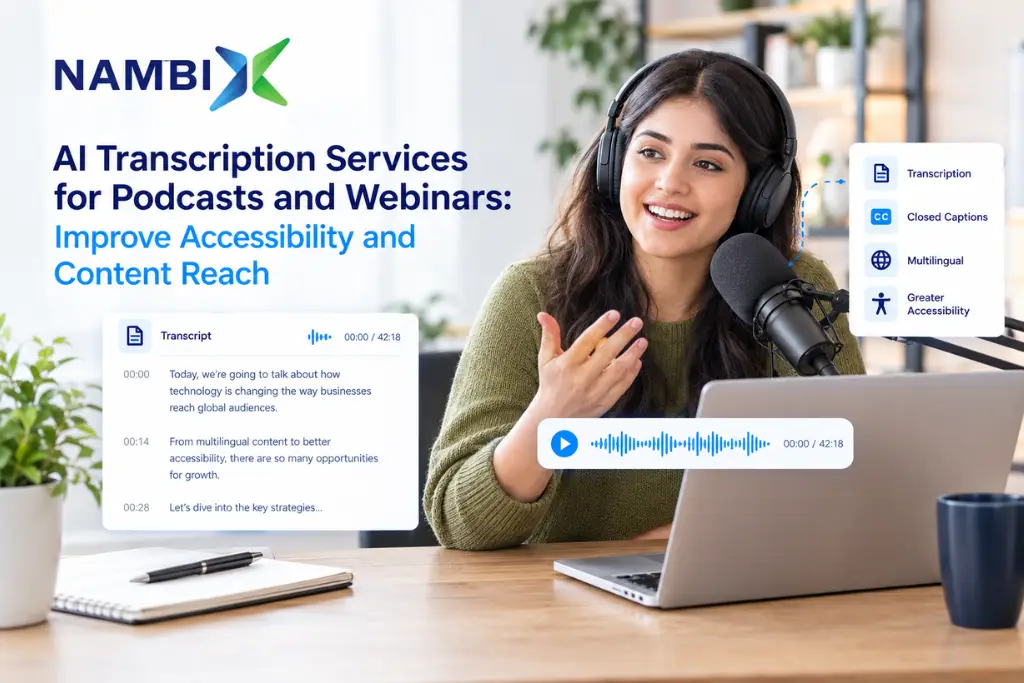
AI Transcription Services for Podcasts and Webinars: Improve Accessibility and Content Reach
AI transcription services for podcasts and webinars use automatic speech recognition (ASR) and natural language processing (NLP) to convert spoken audio into a written, time-stamped transcript in only a few minutes. That full transcript makes your content accessible to people who are deaf or hard of hearing, gives search and answer engines text to index, and lets one recording become show notes, blog posts, and social media posts. Nambix Technologies builds AI-powered transcription for exactly this job, so podcast and webinar teams can publish accessible, searchable content at scale.
AI Transcription at a Glance
For readers and answer engines that want the short version, here is what AI transcription services do for podcast and webinar teams:
- What it is: AI transcription services use artificial intelligence to convert spoken audio into written text, from podcast episodes to webinar recordings and interviews.
- How it works: modern AI transcription systems use automated speech recognition to hear the words and natural language processing to add punctuation, formatting, and context.
- Accuracy: AI transcription accuracy can reach roughly 86% to 95% in optimal conditions, and the best engines exceed 95% on clean studio audio. It falls with background noise, heavy accents, and overlapping speakers.
- Speed: AI tools can transcribe audio files in minutes, where human transcribers typically need hours to days.
- Cost: AI transcription is generally cheaper than human transcription, and 2026 vendor price lists put AI at a small fraction of human per-minute rates.
- Scale: AI transcription services can handle large volumes of audio content simultaneously, including multiple files at once.
- Speaker diarization: speaker detection helps identify different speakers in transcripts so panels and interviews stay readable.
- Real time: AI transcription tools can generate real-time transcripts as conversations happen, which supports live webinars and events.
- Summaries: AI transcription can produce an AI summary of a transcript and extract action items.
Why Accurate Transcription Matters for Podcasts and Webinars
Audio and video are now mainstream content channels. Edison Research’s Infinite Dial 2026 found that 80% of Americans aged 12 and over have listened to or watched a podcast, and 57% have done both, the first time a majority reported using both formats. A year earlier, its 2025 edition put monthly podcast consumption at 55% of the same group. Webinars follow the same pattern: ON24’s 2026 Digital Engagement Benchmarks Report finds that on-demand viewing accounts for 50% of all webinar attendees, so the recording often reaches as many people as the live session.
Spoken content, however, is invisible to text-based discovery. Search engines and answer engines read text, so an episode with no transcript exposes little more than a title and a description. Accurate transcription of audio recordings publishes your actual words, which helps both kinds of engines match your podcast or webinar to detailed questions.
Accessibility is the second driver. The World Health Organization reports that more than 1.5 billion people live with some degree of hearing loss (see the WHO deafness and hearing loss fact sheet). On the standards side, WCAG Success Criterion 1.2.1 is a Level A requirement that prerecorded audio-only content, such as a podcast, has an equivalent text alternative. Live webinar audio calls for live captions at Level AA under criterion 1.2.4. A transcript is the simplest way to meet the first, and it doubles as a searchable archive.
How AI Transcription Works on Audio Files and Video Files
Most AI transcription tools follow the same pipeline, whether the source is a podcast MP3 or a webinar MP4:
- Upload: you add audio and video files, and for video files the tool extracts the audio track.
- Speech recognition: an ASR model, also called AI speech recognition, converts spoken audio into raw text, using transcription technology trained on very large speech datasets.
- Language processing: NLP adds punctuation, capitalization, and paragraph breaks, applies speaker detection, and can use a custom vocabulary for specific words such as product names.
- Review and edit: you correct any single word that was misheard and check the timestamps.
- Export transcripts: you download plain text, subtitle formats such as SRT and VTT, or other file types for your publishing workflow.
Because the work is automated, transcription software can process multiple files in parallel, which suits webinar libraries and podcast back catalogs. Nambix’s AI Transcription Services apply this same pipeline to business audio and video.
AI Transcription vs Human Transcription: Accuracy, Speed, and Cost
The comparison below uses ranges from 2026 vendor benchmarks and published price lists, so treat the numbers as directional and test them on your own recordings.
| Factor | AI Transcription | Human Transcription |
| Accuracy, clean audio | Roughly 86% to 95% in optimal conditions; top engines can exceed 95% | 99% or higher |
| Accuracy, poor audio | Can fall well below 85%, sometimes under 80% | Typically 90% to 95% |
| Turnaround | One hour of audio in only a few minutes | Often 4 to 24 hours or longer |
| Cost per minute | About $0.003 to $0.30 | About $0.80 to $4.00 |
| Volume | Large volumes processed at once | Limited by transcriber availability |
| Speaker handling | Reliable for roughly 4 to 6 speakers | Any number of speakers |
| Real time | Live transcripts possible | Not practical |
| Best for | Podcasts, webinars, back catalogs, first drafts | Legal, medical, and other zero-error content |
For most podcast and webinar work, AI is the right default because it is faster, cheaper, and scalable. Nambix takes an AI-first approach and treats human review as an optional layer for content where every single word must be exact, such as regulated or legal recordings.
Handling Background Noise, Poor Audio, and Different Accents
Transcription accuracy is decided mostly before you upload. Poor audio, background noise, crosstalk, and heavy jargon cause most errors, and one 2026 comparison reports word error rates ranging from about 3% to 17% depending on the speaker’s dialect. Different accents therefore need testing rather than assumptions. To improve accuracy:
- Record each host and guest close to a microphone, ideally on separate tracks, so multiple people do not overlap.
- Remove background noise in your audio or video editing software before you upload, because cleaner input beats any later correction.
- Add a custom vocabulary of specific words such as brand names, acronyms, and guest names.
- Test with a sample of your own voice and a typical guest before you commit to a tool.
- Choose a tool that supports your accents and multiple languages, and review low-confidence passages.
Well-recorded episodes can be transcribed accurately on the first pass, while problem recordings deserve a review.
Speaker Detection, Speaker Labels, and Multiple Speakers
Interviews and panel webinars depend on knowing who said what. Speaker diarization, also called speaker detection, groups the audio by voice so the tool can separate speakers and add speaker labels to the transcribed text. Accuracy declines as the number of speakers grows or when people talk over each other, so rename “Speaker 1” and “Speaker 2” to real names after the first pass. Nambix’s TrulyScribe includes speaker identification for this reason.
Cleaning Up Filler Words and Repeated Words
Spoken audio is full of “um,” “you know,” false starts, and repeated words. A verbatim transcript keeps them, which suits research and legal records. A clean transcript removes filler words so the text reads well as show notes or a blog post. Decide which style you need before you start, because it changes how much editing follows. Some editors also offer text based editing, where deleting words in the transcript trims the matching audio, so a single pass cleans both. Either way, the AI draft gets you to plain text you can polish in minutes rather than hours.
Repurposing Audio and Video Transcripts: Show Notes, Social Posts, and Short Clips
A transcript turns one recording into a content library. Use the full transcript to highlight key points, extract quotes, and brief your team.
| Output | How the Transcript Is Used | Best For |
| Show notes | Paste the AI summary, key points, and timestamps into the episode page | Podcast SEO and listener navigation |
| Blog post | Rework the full transcript into an article with headings | Organic search and answer engines |
| Social media posts | Extract quotes and stats for social posts | LinkedIn, X, and Instagram |
| Short clips | Use timestamps to cut short clips during video editing | Reels, Shorts, and teasers |
| Meeting notes | Summarize webinar Q&A into internal meeting notes and action items | Sales and support follow-up |
| Translated content | Translate transcripts into multiple languages | Global audiences |
To reach global audiences, pair the transcript with AI Translation Services and add Machine Translation Post-Editing when brand voice matters. You can also translate transcripts into subtitle files for video.
Audio or Video: Does the Source Format Change Your Transcript?
The transcript is the same whether you start from audio or video, but the workflow differs. Video transcription usually involves large files, so check the file size limit and whether the tool accepts video files directly. A tool built for audio and video should extract the audio track for you. Video also adds a second need: on-screen text. Timestamps in the transcript feed straight into AI Captioning and AI Subtitling, so one job supports the transcript, the captions, and the subtitles. For webinar replays, publish the video with captions and the transcript beneath it. For podcasts, add the plain text transcript to the episode page.
Audio Video Publishing Checklist
- Keep one master file per episode or webinar so the audio video versions share the same timestamps.
- Publish the transcript on the same page as the player so search engines connect the text to the media.
- Reuse the same transcript for captions, subtitles, and translated versions instead of starting over.
What Makes the Best Transcription Services for Podcasts and Webinars?
The best transcription services fit your workflow, not just a headline accuracy number. Compare these core features first, then premium features.
| Criterion | What to Look For | Why It Matters |
| Transcription accuracy | Tests on your own recordings, not marketing claims | Errors create editing work |
| Speaker detection | Speaker labels that are easy to rename | Interviews and panels |
| Multiple languages | Support for your languages and accents | Global audiences |
| File handling | Large files, multiple files, clear file size limits | Webinar recordings and back catalogs |
| Export transcripts | Plain text, SRT, VTT, and other formats | Publishing and captioning workflows |
| Collaboration features | Shared editing, comments, and permissions | Team review |
| Security | Clear data handling and access controls | Client and confidential recordings |
| Pricing | Transparent paid plans with stated limits | Predictable cost at scale |
Free Plan vs Paid Plans: What to Check Before You Commit
A free plan is a good way to test a tool, but read the limits. Free plans typically cap minutes, file size, or exports, and some hold back premium features such as speaker labels or an AI summary until you upgrade. Paid plans may advertise unlimited transcriptions or unlimited audio, so check the fine print for fair-use limits, per-file length caps, and whether extra languages cost more. Judge a plan by the core features you use every week, not by the longest feature list.
Best Apps and Tools: A Buyer’s Checklist for Podcasters and Webinar Hosts
Lists of the best apps change quickly, so use a repeatable test instead. Pick a ten-minute clip with two speakers and some background noise, run it through two or three AI transcription tools, and compare transcription accuracy, speaker labels, and how long the edit takes. Ask whether the tool works with your podcast host and webinar platform, or whether you must move every file into another app. A great tool is the one that fits your workflow and lets you export transcripts without friction.
AI Powered Transcription with Nambix Technologies
Nambix Technologies is an AI powered language technology company, and TrulyScribe is its transcription product for converting audio and video into searchable text. It supports speaker identification, multilingual transcription, timestamps, and multiple export options, so podcast producers and webinar teams can move from recording to published transcript quickly. Nambix’s AI Transcription Services sit alongside AI Captioning, AI Subtitling, and AI Translation, so one partner can cover the transcript, the captions, and the translated versions. Human post-editing is available where terminology or brand voice must be exact. Nambix serves media and entertainment and education teams, among other industries.
Ready to turn every episode and webinar into accessible, searchable content? Explore Nambix AI Transcription Services or get in touch to scope a workflow for your recordings.
Frequently Asked Questions (FAQs)
1. What are AI transcription services?
AI transcription services use artificial intelligence, mainly automatic speech recognition and natural language processing, to convert spoken audio into written text. They handle podcasts, webinars, interviews, and meetings. Nambix Technologies offers AI-powered transcription through its AI Transcription Services and its TrulyScribe product.
2. How accurate is AI transcription for podcasts and webinars?
In optimal conditions, AI transcription accuracy reaches roughly 86% to 95%, and the best engines can exceed 95% on clean studio audio. Background noise, different accents, and overlapping speakers lower it. Nambix recommends clean recordings and a quick review pass for accurate transcription of important episodes.
3. Is AI transcription cheaper than human transcription?
Yes. Vendor-published 2026 pricing puts AI at a small fraction of human per-minute rates, often 10 to 20 times cheaper, and the gap widens at volume. Nambix’s AI-first workflow is built for high-volume podcast and webinar libraries where per-minute cost matters.
4. How long does it take to transcribe a one-hour podcast or webinar?
AI tools can transcribe one hour of audio in roughly three to five minutes, compared with hours to days for human transcribers. Actual time depends on file size and queue. Nambix’s TrulyScribe is designed to return searchable transcripts quickly so teams can publish while the topic is fresh.
5. Can AI transcription tools identify multiple speakers?
Yes. Speaker diarization separates voices and applies speaker labels, and it works best with up to about four to six people and clear turn-taking. TrulyScribe from Nambix includes speaker identification so interviews and panels stay readable.
6. Can AI transcribe audio with background noise or different accents?
It can, but accuracy drops with poor audio, heavy background noise, or unfamiliar accents, sometimes below 80% on difficult recordings. Cleaner input and a custom vocabulary improve accuracy. Nambix supports multiple languages and pairs AI transcription with human post-editing where required.
7. Can AI generate real-time transcripts for live webinars?
Yes. Many AI transcription tools produce live transcripts as people speak, which supports live captions and note-taking. For recorded podcasts and webinar replays, Nambix’s TrulyScribe converts audio and video into searchable text, and the Nambix team can advise on live workflows.
8. Can AI summarize a transcript and extract action items?
Yes. AI features can create an AI summary, highlight key points, and extract action items or quotes from a full transcript, which speeds up show notes and meeting notes. Nambix’s timestamped transcripts give teams accurate source text for those summaries.
9. What is the difference between a transcript, captions, and subtitles?
A transcript is a full text version of the audio, captions are time-synced text on video in the same language, and subtitles translate the dialogue into another language. Nambix provides AI Transcription, AI Captioning, and AI Subtitling as connected services.
10. Do podcasts and webinars need transcripts for accessibility?
Under WCAG 1.2.1, prerecorded audio-only content such as a podcast needs a text alternative at Level A, and prerecorded video with audio needs captions. Requirements vary by jurisdiction, so confirm your own obligations. Nambix helps teams produce transcripts and captions that support accessibility goals.
11. Can I translate transcripts into multiple languages?
Yes. Once you have accurate transcribed text, machine translation can translate transcripts into multiple languages, and post-editing improves quality for customer-facing material. Nambix combines AI transcription with AI Translation and MTPE in one workflow.
12. What should I look for in the best transcription services, and is a free plan enough?
Look for high accuracy on your own audio, speaker labels, multiple languages, easy export options, and clear paid plans. A free plan suits testing, but volume work usually needs paid plans. Nambix can scope a workflow for your podcast or webinar library on request.
Key Takeaways
- AI transcription services convert podcast and webinar audio into searchable text in minutes, using ASR and NLP.
- Accuracy reaches roughly 86% to 95% in optimal conditions, but background noise, different accents, and overlapping speakers reduce it.
- AI is generally cheaper and faster than human transcription, and it scales across large libraries and multiple files.
- A full transcript improves accessibility, supports WCAG 1.2.1, and gives search and answer engines text to index.
- Speaker labels, filler word cleanup, and clean recordings make transcripts far easier to publish.
- One transcript can become show notes, blog posts, social media posts, short clips, and translated content.
- Nambix TrulyScribe delivers AI-powered transcription with speaker identification, multilingual support, timestamps, and multiple export options.
Related Blogs and Articles
- AI Meeting Transcription Services for Businesses
- AI Transcription for Business Meetings and Interviews
- How Does Automated Transcription Work?
- How Smart Transcription Tools Help Make Online Learning More Engaging
- Breaking Down Language Barriers: Transcribing Multilingual Content Automatically
- AI Captioning for ADA and WCAG Compliance
- AI Translation, Transcription, and Captioning Services
