
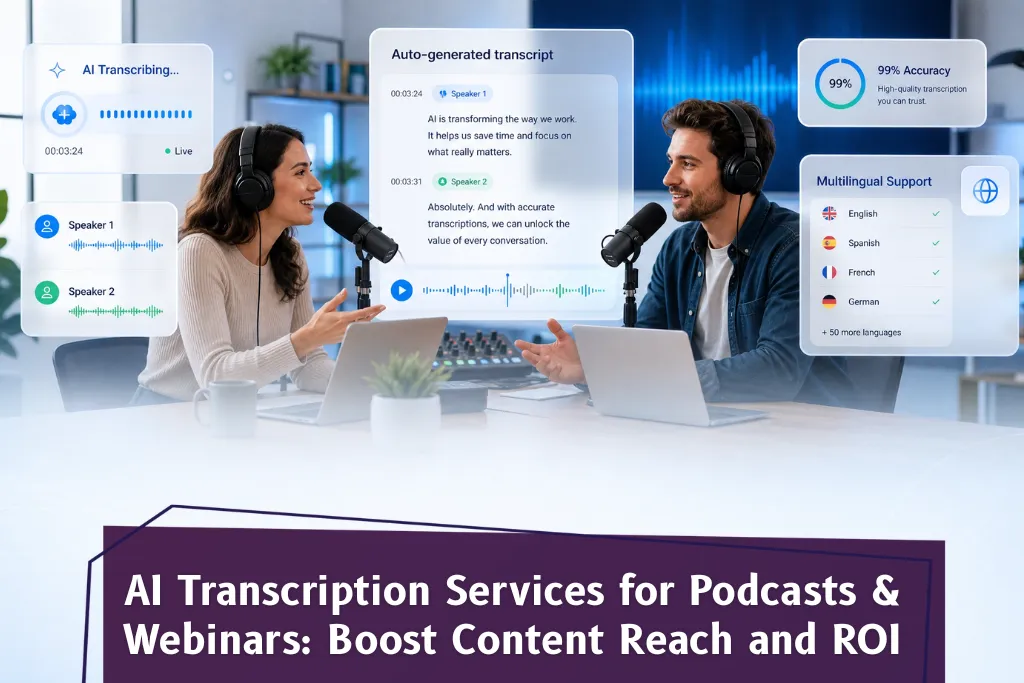
AI transcription services for podcasts and webinars automatically convert spoken audio or video content into accurate, editable text — helping creators, marketers, and businesses unlock more value from every recording. Whether you run a weekly interview series, host live webinars, or produce a video podcast, AI transcription eliminates manual work, accelerates content repurposing, and makes your episode media fully searchable and accessible. This blog covers how AI transcription works for podcast and webinar content, why it outperforms manual transcription, and how to choose the right transcription service for your workflow.
Why Podcast Creators Can’t Afford to Skip AI Transcription
Every podcast episode you publish contains hours of valuable insight locked inside audio files. Without a full transcript, that content is invisible to search engines, inaccessible to deaf or hard-of-hearing listeners, and entirely dependent on playback — meaning your audience can’t skim, search, or share specific words.
AI transcription solves all of this in minutes. You upload your podcast audio, and the system returns a high-quality transcript as a text file you can immediately use for blog posts, show notes, social media posts, or subtitles. What used to require a human transcriber and several hours now takes a fraction of the time — with comparable or better accuracy, especially at scale.
For webinar hosts, the ROI case is even stronger. A single webinar recording can generate a complete transcript, short clips with captions, a searchable text archive for internal use, and repurposed content for YouTube and email — all from one upload.
AI Transcription vs. Manual Transcription: What’s the Real Difference?
Manual transcription involves a human listener transcribing spoken audio word by word. It’s time-intensive, expensive at scale, and impractical for long-form podcast episodes or multi-speaker webinar recordings.
AI transcription, by contrast, uses speech recognition and machine learning to automatically transcribe audio in minutes. Modern systems handle different accents, multiple speakers, background noise, and varying audio quality with high accuracy. They support wav files, MP3s, video files, and more — making it easy to process any format you record in.
The key advantages of AI over manual transcription:
Speed: AI can transcribe hours of podcast audio in minutes, not days
Cost: Dramatically lower per-minute cost, especially on paid plans with high volume
Consistency: AI applies the same process to every file without listener fatigue
Scale: Automatically transcribe an entire back-catalogue of podcast episodes at once
Editability: Output arrives as editable transcripts you can refine before publishing
The one area where human review still adds value is in catching domain-specific words or proper nouns — but AI handles the heavy lifting, leaving only light editing rather than full manual work.
High Accuracy Transcription and How It Handles Different Accents
One of the most common concerns about AI transcription is accuracy — particularly for podcasts featuring guests with different accents, non-native English speakers, or Spanish-language content. Early speech recognition tools struggled in these scenarios, but modern AI transcription engines are trained on diverse, multilingual audio datasets.
Today’s best transcription services achieve high accuracy rates even with varied speaker accents, overlapping dialogue, and interview-style recordings where multiple voices speak in quick succession. For podcast hosts producing content in multiple languages, AI transcription now supports dozens of languages, making it viable for global audience reach.
High accuracy matters not just for readability but for downstream uses: if you plan to extract quotes for social media posts or generate an SRT file for subtitles, small transcription errors compound quickly. Choosing a transcription service that prioritises accuracy from the beginning saves significant editing time.
How AI Transcription Powers Content Repurposing
The real ROI of podcast transcription isn’t just in having a text record — it’s in what that transcript unlocks for content repurposing. A single episode media file, once transcribed, becomes raw material for:
Show notes: Pull key timestamps, topic summaries, and speaker highlights directly from your full transcript
Blog posts: Restructure the podcast content into a long-form article without starting from scratch
Social media posts: Extract quotes, statistics, and memorable moments from specific words in the transcript
YouTube captions and subtitles: Convert the transcript into an SRT file and upload it directly
Email newsletters: Use transcript excerpts to tease upcoming episodes or recap past ones
Short clips: Identify the most compelling moments and clip them for Instagram Reels or YouTube Shorts
For webinar hosts, a transcript also means complete searchability — anyone in your organisation can search for specific words or discussions from a session without rewatching the recording.
This multiplier effect is what makes AI transcription a genuine growth tool rather than just a convenience.
Free Podcast Transcription: What to Expect
Many transcription platforms offer a free plan or free podcast transcription tier, which is useful for creators testing the process or working with occasional short clips. Free plans typically cover a limited file length per month, output a basic text file, and may have restrictions on file format — for example, only accepting MP3 and MP4 rather than wav files or other formats.
For podcast hosts who publish weekly and need consistent, high quality transcripts with speaker labels, editable transcripts, and support for longer episode media, paid plans offer more features: higher monthly minutes, SRT file export, multi-language support, and integrations with podcast host platforms and YouTube.
The decision between free and paid usually comes down to volume and intended use. If you plan to use podcast transcripts for SEO-driven blog posts or to improve listener experience with full transcripts on your website, a paid transcription service will deliver the accuracy and workflow features you need.
Choosing the Right AI Transcription Service for Your Podcast
When evaluating a transcription service, the key factors to assess are: accuracy across different accents and audio quality levels, support for your preferred file formats (including wav files and video files), output options (plain text, SRT file, editable transcripts), turnaround speed, and pricing structure for your episode volume.
If your podcast content serves a global audience or includes interviews with non-native speakers, multilingual support becomes essential. If you’re focused on content repurposing, look for platforms that make it easy to edit, download, and integrate transcripts directly into your content workflow.
Nambix Technologies brings together AI transcription precision, multilingual capability, and the scalability that growing podcast networks and webinar-heavy businesses need — making it easier than ever to turn every recording into lasting, searchable, high-impact content.
Ready to automatically transcribe your podcast audio and unlock the full value of your episode media? Explore Nambix Technologies’ AI transcription services at https://nambix.com/
Frequently Asked Questions (FAQs)
1. How does AI transcription improve the listener experience for podcast audiences?
When listeners encounter a podcast episode with a full transcript available, they can search for specific words, skim for relevant sections, and access content without headphones — in a meeting, on a commute, or in a quiet environment. Transcripts also serve listeners who are deaf or hard-of-hearing, significantly broadening your accessible audience. Nambix Technologies’ AI transcription service delivers high quality transcripts quickly, so podcast hosts can publish transcripts alongside every episode without adding days to their workflow.
2. Can AI transcription handle different accents and non-English podcast content?
Yes. Modern AI transcription is trained on diverse audio datasets that include different accents and multiple languages. Most professional transcription services today handle Spanish, regional English accents, and other languages with high accuracy. Nambix Technologies supports multilingual transcription across dozens of languages, making it a strong choice for global podcast creators or webinar teams working across international audiences.
3. What’s the difference between an SRT file and a plain text transcript?
A plain text transcript is a readable document — useful for show notes, blog posts, and search indexing. An SRT file adds timestamps to each segment, making it usable as subtitles for video podcast content, YouTube uploads, or webinar recordings. Many transcription workflows need both. Nambix Technologies’ transcription service outputs both formats, so your episode media is ready for both written content and captioned video distribution.
4. Is free podcast transcription accurate enough for professional use?
Free tiers are useful for testing or short clips, but they typically cap file length and limit output options. For professional podcast transcription — where you need speaker labels, editable transcripts, and consistent accuracy across long-form audio files — a paid transcription service is more reliable. Nambix Technologies offers scalable plans designed for content teams handling regular volumes of podcast audio and webinar recordings, without compromising on accuracy.
5. How does podcast transcription support SEO?
Search engines cannot index audio or video content directly. When you publish a full transcript on your podcast page, Google can crawl and index that content, making your podcast episodes discoverable through organic search. Transcript-based show notes also give you fresh, keyword-rich content on every episode page. Nambix Technologies’ AI transcription outputs are clean, accurate, and ready to publish — giving your SEO strategy a foundation of high-quality text from every recording.
6. How long does it take to automatically transcribe a one-hour podcast episode?
With AI transcription, a one-hour audio file typically takes a few minutes to process, depending on audio quality and the platform’s processing capacity. This compares to three to five hours for manual transcription of equivalent file length. For teams managing multiple podcast episodes or weekly webinars, that speed difference translates directly into faster turnaround and lower production costs. Nambix Technologies is built for speed at scale, processing large volumes of audio or video files without sacrificing accuracy.
7. Can webinar transcripts be used for internal documentation and training?
Absolutely. Many organisations use webinar transcripts for knowledge management — creating a searchable text archive of product demos, training sessions, client calls, and internal briefings. This makes it easy to find specific words, decisions, or discussion points without replaying recordings. Nambix Technologies supports enterprise teams looking to build searchable content libraries from their webinar and meeting recordings, with accurate transcriptions delivered quickly and securely.
